
Unix Timestamp Converter
Convert between Unix epoch timestamps and human readable dates instantly. Supports seconds and milliseconds — with live current timestamp.
Current Unix Timestamp
--
Current UTC Time
--
What Is a Unix Timestamp Converter?
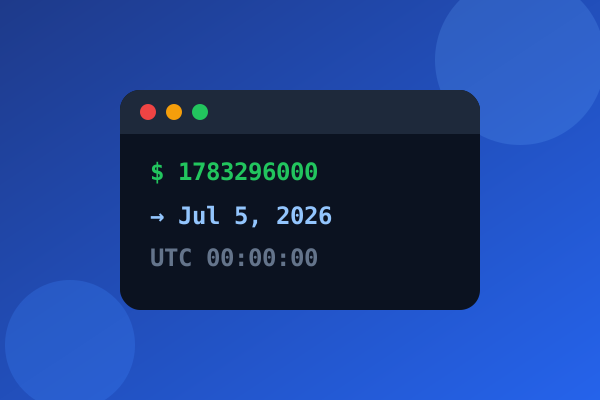
A Unix timestamp converter is a tool that translates between two fundamentally different ways of representing time. On one side, you have the Unix epoch — a single integer counting the number of seconds that have elapsed since January 1, 1970 at midnight UTC. On the other side, you have human readable dates like "June 26, 2026 at 3:45 PM." When you convert epoch time to a readable date, the tool divides the total seconds into years, months, days, hours, minutes, and seconds, accounting for leap years and varying month lengths. When you go the other direction and convert date to Unix timestamp, it calculates how many seconds have passed since the epoch. This bidirectional conversion is essential for developers working with databases, APIs, log files, and any system that stores time as a posix timestamp.
What makes a reliable epoch timestamp converter genuinely useful is its ability to handle multiple precision levels. Some systems store time in seconds (a 10-digit number), while others use milliseconds (13 digits), microseconds (16 digits), or even nanoseconds. Our unix time converter automatically detects which precision you are using based on the number of digits, so you don't have to manually figure it out. Whether you need to convert unix time to date for debugging a log entry, convert timestamp to unix time for inserting a record into a database, or simply check the current unix timestamp for a quick reference, this tool handles every scenario instantly. The linux timestamp converter works identically since Linux systems use the same epoch convention.
- ✓ Convert Unix timestamp to human readable date
- ✓ Convert date to Unix timestamp instantly
- ✓ Supports seconds and milliseconds
- ✓ UTC and local time conversion
- ✓ Live current timestamp display
How to Convert Unix Timestamp to Date
Converting a unix timestamp to date is a process of dividing the total seconds back into calendar components. The unix epoch started at 0 seconds on January 1, 1970, so a timestamp like 1719446400 represents the number of seconds that have passed since that moment. To convert unix time to datetime, the tool calculates how many years, months, days, hours, minutes, and seconds fit into that total. It handles leap years automatically — every fourth year gets an extra day in February, except for century years not divisible by 400. This means the epoch to date conversion is not just simple division; it requires calendar-aware arithmetic that respects the Gregorian structure.
In practice, you will most often encounter unix timestamps in API responses, database columns, log files, and configuration files. When a REST API returns a field like "created_at": 1719446400, you need a timestamp converter to understand what date that actually represents. Our tool shows you the UTC date, the local date, the ISO 8601 format, and a human friendly relative time like "2 days ago." When you need to go the other direction and convert date to unix timestamp, simply enter the date and time, select whether you are using UTC or local time, and the tool returns the epoch timestamp in both seconds and milliseconds. Whether you use it as an epoch unix timestamp converter for development work or a quick unix date stamp lookup, the result is instant and accurate.


Common Uses for Unix Timestamp Converter
Developers and system administrators reach for a unix timestamp converter daily, often without even thinking about it. When debugging a web application, you need to convert epoch time to date to figure out when an error occurred. When writing a database query, you need to convert date to unix timestamp to filter records by time range. When analyzing server logs, the linux timestamp converter helps you translate those raw numbers into human readable timestamps so you can correlate events across systems. The epoch unix converter is also essential for working with APIs that return unix time in their responses — services like payment processors, social media platforms, and cloud providers all use epoch timestamps internally.
Beyond pure development work, a datetime to unix timestamp conversion serves everyday scenarios. Content management systems use posix timestamps to track when articles were published. E-commerce platforms use them to record order timestamps. IoT devices send sensor readings tagged with epoch timestamps for time-series analysis. Even spreadsheet users sometimes need to convert unix time to date in Excel when working with exported data. Our unix timestamp calculator also displays the live current unix timestamp updating every second, which is useful for testing time-sensitive code, setting up cron jobs, or verifying that your system clock is synchronized. Whether you need an online timestamp converter for a quick lookup or a timestamp creator for generating values, this tool covers every use case.
Related Calculators
Frequently Asked Questions
date +%s on a Linux terminal, it outputs the current Unix timestamp in seconds. Our linux timestamp to date tool lets you paste that output and instantly see the human readable date. The linux timestamp converter works identically to any other epoch unix converter because the underlying standard is the same across all Unix-like systems. Whether you are troubleshooting a cron job, analyzing system logs, or debugging a deployment script, converting linux timestamps to readable dates is a fundamental skill.
=(A1/86400)+25569, where A1 contains the unix timestamp in seconds. Format the result cell as a date/time to see the human readable output. For UTC conversion, the formula gives you the UTC date directly. For local time, add or subtract your timezone offset in hours before dividing. However, many users find that our online unix timestamp converter is faster and less error-prone than setting up Excel formulas. Our tool handles unix timestamp milliseconds, leap years, and timezone adjustments automatically — no formula knowledge required.
date +%s on Linux or macOS, or [DateTimeOffset]::Now.ToUnixTimeSeconds() in PowerShell. The unix time now value is useful for testing time-sensitive code, setting up scheduled tasks, or verifying that your system clock is synchronized with UTC. Our unix timestamp 2026 display shows both seconds and milliseconds.
Date.now(), while other systems use seconds. Our convert unix time online tool accepts both formats and clearly labels which one you are working with, so you never confuse the two precision levels.